![[ANSYS, Inc. Logo]](fluentlogo.gif)


|
|
|
You can access the ANSYS FLUENT documentation from your ANSYS Inc. installation area.
How to Access the Documentation Files in the Installation Area
If the HTML and/or the PDF files have been installed with the software, you can view the documentation by pointing your browser to:
On Windows:
 ANSYS Inc
 v120
v120
 fluent
 fluent12.0.
 help
help
 index.htm
 where
path is the folder in which you have installed
ANSYS FLUENT (by default, the
path is
C:
 Program Files), and
 is replaced by the appropriate number for the release (e.g.,
9 for
fluent12.0.9).
is replaced by the appropriate number for the release (e.g.,
9 for
fluent12.0.9).
On UNIX/Linux:
 /help/index.htm
 where
path is the directory in which you have installed
ANSYS FLUENT, and
 is replaced by the appropriate number for the release (e.g.,
9 for
fluent12.0.9).
is replaced by the appropriate number for the release (e.g.,
9 for
fluent12.0.9).
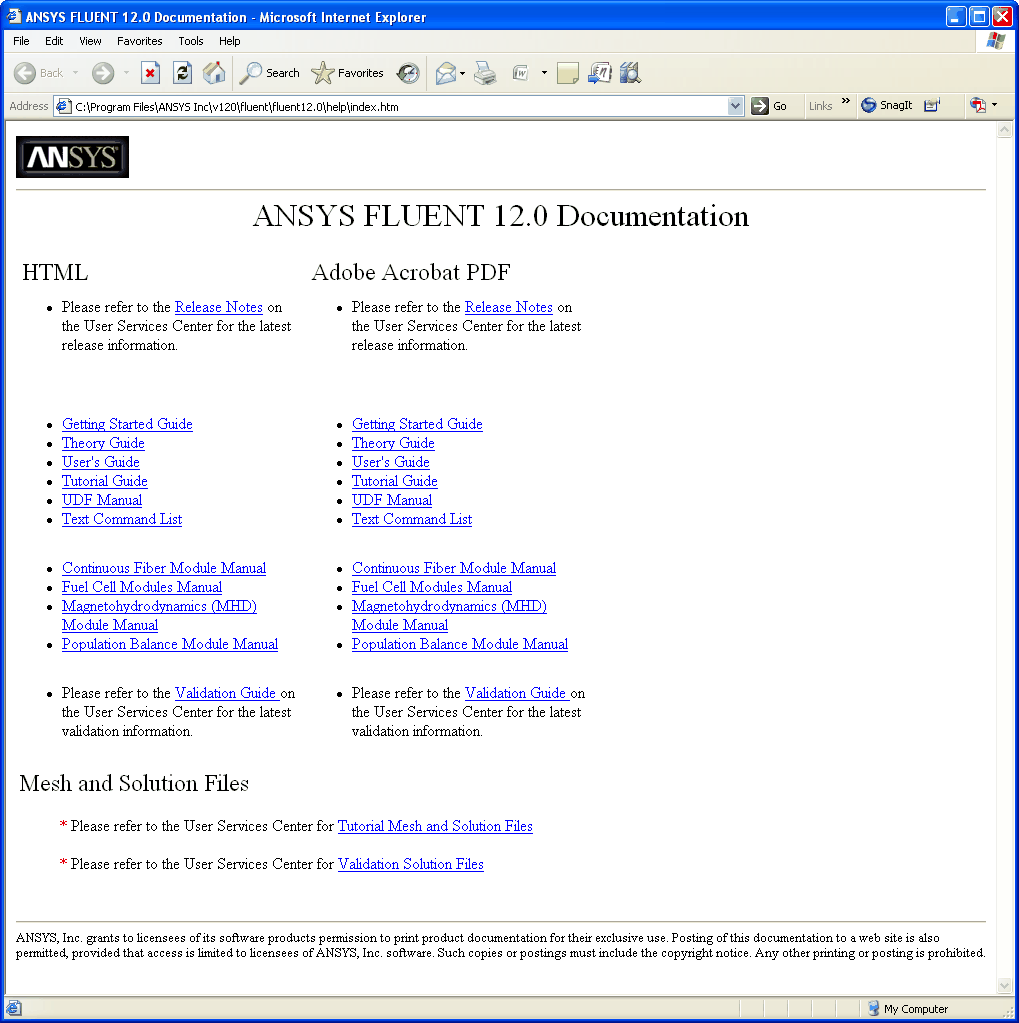
This will bring up the ANSYS FLUENT documentation "home'' page (Figure 1.2.1), from which you can select the HTML or PDF version of the particular ANSYS FLUENT manual you want to view. For large manuals, PDF files are provided for the individual chapters in addition to a single PDF file for the entire manual on the User Services Center.
Previous:
1.2 ANSYS FLUENT Documentation