1.
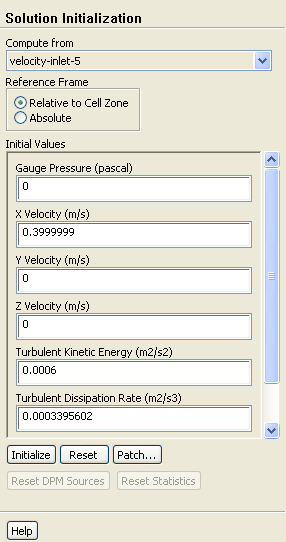
Initialize the flow field using the boundary conditions set at
velocity-inlet-5.
Solution Initialization
(a)
Select
velocity-inlet-5 from the
Compute from drop-down list.
(b)
Click
Initialize.
A
Warning dialog box will open, asking if you want to discard the data generated during the first initialization, which was used to inspect the cell partitions.
(c)
Click
OK in the
Warning dialog box to discard the data.
2.
Enable the plotting of residuals during the calculation.
MonitorsResidualsEdit...
3.
Start the calculation by requesting 200 iterations.
Run Calculation
The solution will converge in approximately 180 iterations.
![[ANSYS, Inc. Logo]](fluentlogo.gif)


 Solution Initialization
 Monitors

 Residuals
 Edit...
 Run Calculation
 Write
Write
 Data...