![[ANSYS, Inc. Logo]](fluentlogo.gif)


|
|
|
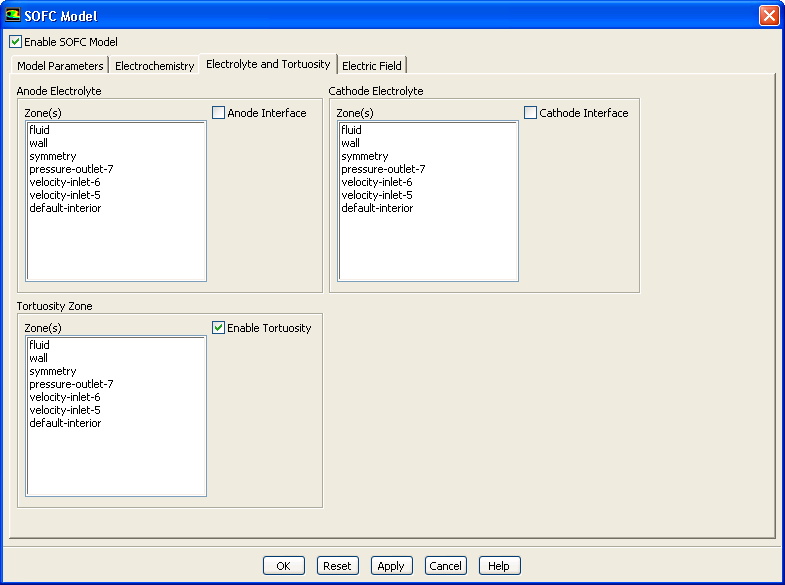
In fuel cell modeling, tortuosity is thought of as an effective diffusive path length factor. You can specify tortuosity settings for the SOFC With Unresolved Electrolyte Model by enabling the Enable Tortuosity option in the Electrolyte and Tortuosity tab in the SOFC Model dialog.
Once you enable the Enable Tortuosity option, you select an appropriate zone from the corresponding Zone(s) list and click Apply. You can do this for as many zones as you need. When you are finished setting up the cathode interface, click the OK button.
You can assign tortuosity values to any porous zones in your simulation. In a porous zone, the mass diffusion coefficient is reduced as follows due to the porosity effect:
 |
(4.6-1) |
There typically are no standard means of measuring tortuosity as it either needs to be measured experimentally or tuned to match other experimental data. Tortuosity value may typically be in the range of 2 to 4, although you can use much higher values.
Previous:
4.6.2 Setting Up the