![[ANSYS, Inc. Logo]](fluentlogo.gif)


|
|
|
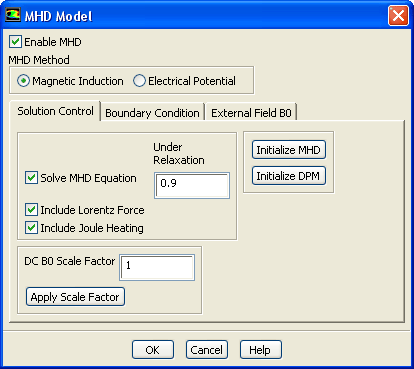
Under the Solution Control tab in the MHD Model dialog box, Figure 4.3.11, a number of parameters can be set that control the solution process in an MHD calculation. The MHD model can be initialized using the Initialize MHD button. When the DPM model is enabled in the ANSYS FLUENT case setup, the related variables used in the MHD model can be initialized using the Initialize DPM button.
You have the option to enable or disable the Solve MHD Equation. When the Solve MHD Equation is enabled, you have the choice to Include Lorentz Force and or Include Joule Heating in the solution of flow momentum and energy equations. The underrelaxation factor for the MHD equations can also be set.
The strength of the imposed external magnetic field can be adjusted by specifying and applying scale factors to the external DC and/or AC magnetic field data.
Previous:
4.3.4 Setting Up Boundary