Step 4: Materials
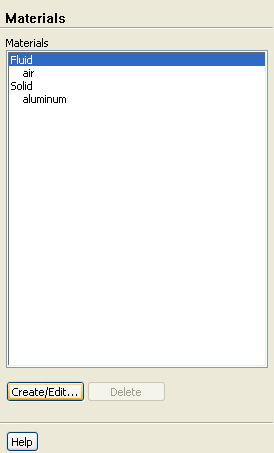
Materials
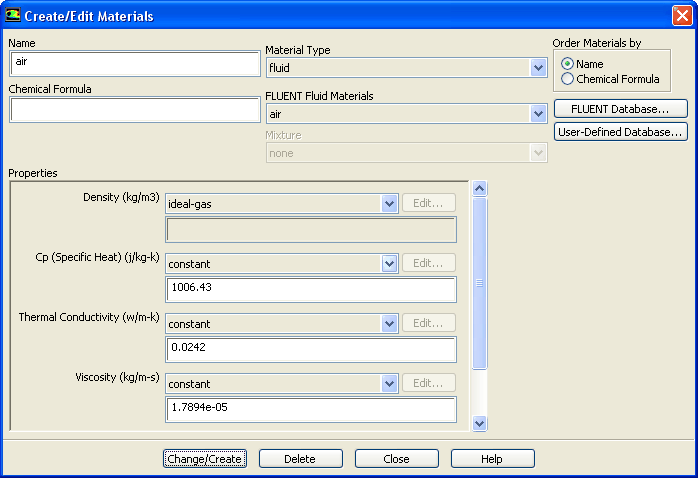
1. Apply the ideal gas law for the incoming air stream.
Materials
Fluid
Create/Edit...
(a) Select
ideal-gas
from the
Density
drop-down list.
(b) Click
Change/Create
.
(c) Close the
Create/Edit Materials
dialog box.
Previous:
Step 3: Models
Up:
Using Dynamic Meshes
Next:
Step 5: Boundary Conditions
Release 12.0 ©
ANSYS, Inc.
2009-02-09
![[ANSYS, Inc. Logo]](fluentlogo.gif)


 Materials
 Materials

 Fluid
Fluid
 Create/Edit...
 Previous:
Step 3: Models
Previous:
Step 3: Models