[ANSYS, Inc. Logo] return to home search
next up previous contents

Step 10: Postprocessing

1.   Inspect the solution at the final time step.

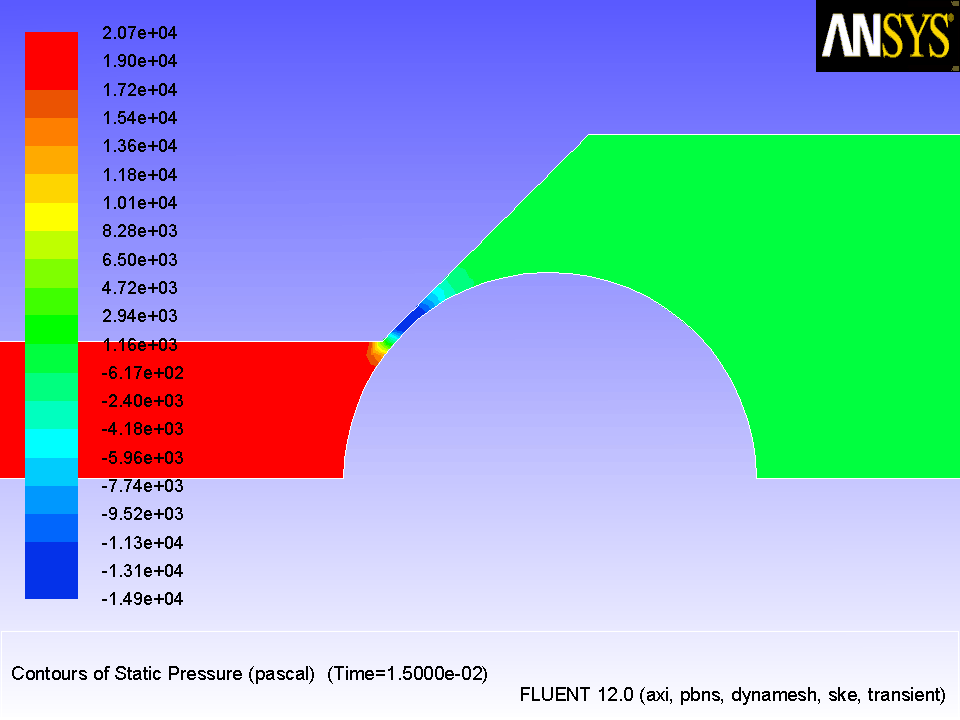
(a)   Inspect the contours of static pressure in the valve (Figure  13.5).

figure Graphics and Animations figure figure Contours figure Set Up...

  The negative absolute pressure indicates cavitating flow.

Figure 13.5: Contours of Static Pressure After 150 Time Steps
figure

For details about the cavitation model, see this section in the separate Theory Guide.

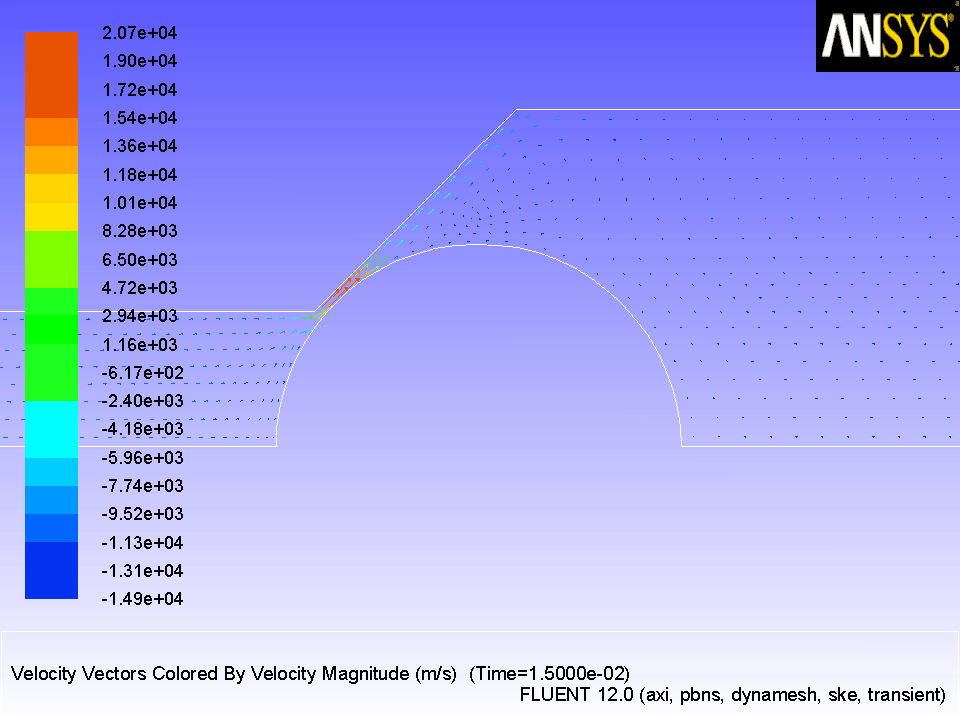
(b)   Inspect the velocity vectors near the point where the valve meets the seat valve (Figure  13.6).

figure Graphics and Animations figure figure Vectors figure Set Up...

Figure 13.6: Velocity Vectors After 150 Time Steps
figure

2.   You can also inspect the solution at different intermediate time steps.

(a)   Read the corresponding case and data files (e.g., valve_tran-0.010000.cas.gz and valve_tran-0.010000.dat.gz).

File $\rightarrow$ Read $\rightarrow$ Case & Data...

(b)   Display the desired contours and vectors.

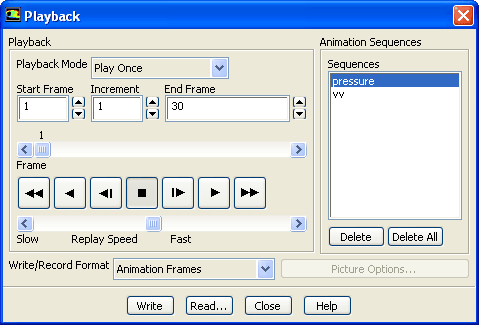
3.   Play the animation of the pressure contours.

figure Graphics and Animations figure figure Solution Animation Playback figure Set Up...

figure

(a)   Select pressure from the Sequences list.

  The playback control buttons will become active.

(b)   Set the slider bar above Replay Speed about halfway in between Slow and Fast.

(c)   Retain the default settings in the rest of the dialog box and click the figure button.

For additional information on animating the solution, see Tutorial  4 and see this section in the separate User's Guide.

4.   Play the animation of the velocity vectors.

figure Graphics and Animations figure figure Solution Animation Playback figure Set Up...

(a)   Select vv from the Sequences list.

(b)   Retain the default settings in the rest of the dialog box and click the figure button.

(c)   Close the Playback dialog box.


next up previous contents Previous: Step 9: Time-Dependent Solution
Up: Using Dynamic Meshes
Next: Summary
Release 12.0 © ANSYS, Inc. 2009-02-09