Step 4: Materials
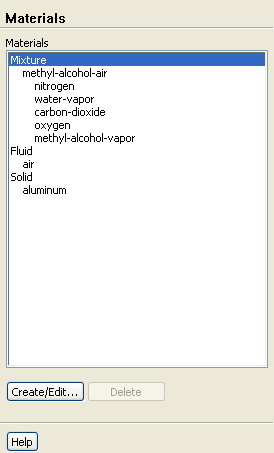
Materials
1. Remove water vapor and carbon dioxide from the
Mixture Species
list.
Materials
Mixture
Create/Edit...
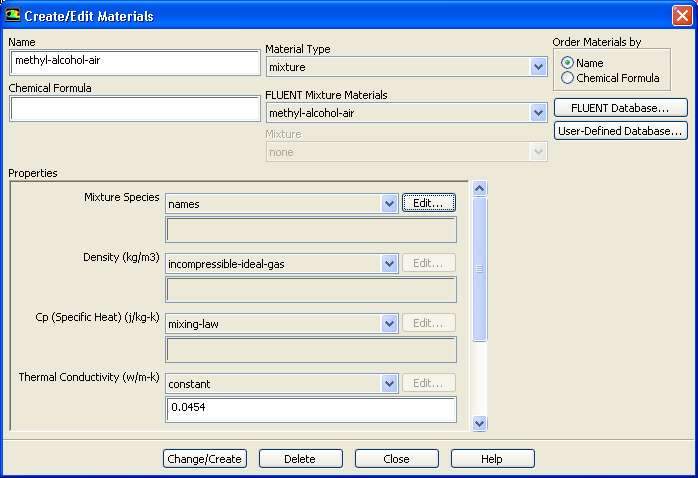
(a) Click the
Edit
button next to the
Mixture Species
drop-down list to open the
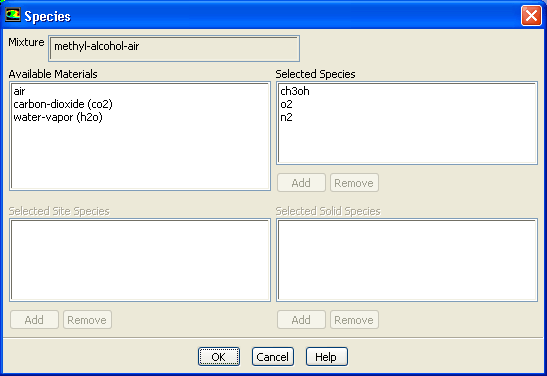
Species
dialog box.
i. Select
co2
from the
Selected Species
selection list.
ii. Click
Remove
to remove carbon dioxide from the
Selected Species
list.
iii. In a similar manner, remove water vapor (
h2o
) from the
Selected Species
list.
iv. Click
OK
to close the
Species
dialog box.
(b) Close the
Create/Edit Materials
dialog box.
Previous:
Step 3: Models
Up:
Modeling Evaporating Liquid Spray
Next:
Step 5: Boundary Conditions
Release 12.0 ©
ANSYS, Inc.
2009-02-09
![[ANSYS, Inc. Logo]](fluentlogo.gif)


 Materials
 Materials

 Mixture
 Create/Edit...
 Previous:
Step 3: Models
Previous:
Step 3: Models