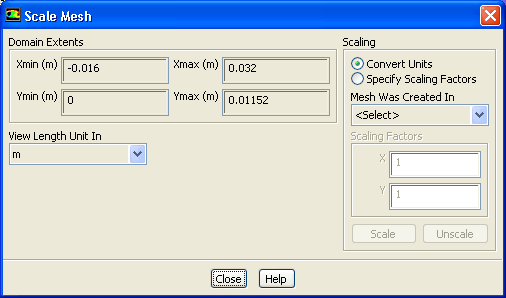
ANSYS FLUENT will perform various checks on the mesh and will report the progress in the console. Ensure that the reported minimum volume is a positive number.
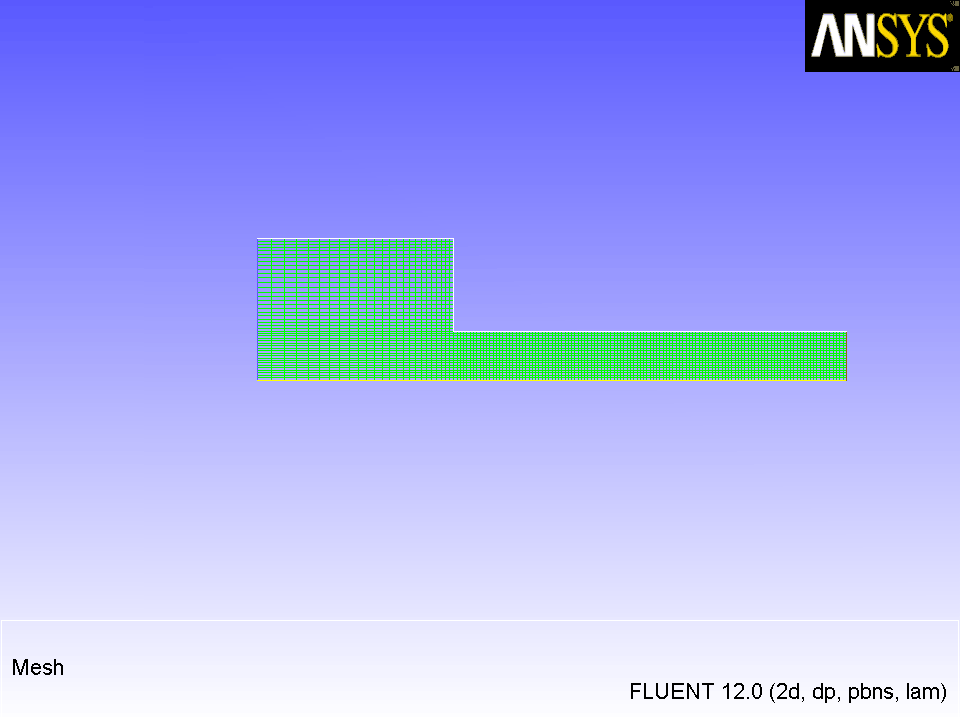
As seen in Figure
19.2, half of the problem geometry is modeled, with an axis boundary (consisting of two separate lines) at the centerline. The quadrilateral mesh is slightly graded in the plenum to be finer toward the orifice. In the orifice, the mesh is uniform with aspect ratios close to
, as the flow is expected to exhibit two-dimensional gradients.
When you display data graphically in a later step, you will mirror the view across the centerline to obtain a more realistic view of the model.
Since the bubbles are small and the flow is high speed, gravity effects can be neglected and the problem can be reduced to axisymmetrical. If gravity could not be neglected and the direction of gravity were not coincident with the geometrical axis of symmetry, you would have to solve a 3D problem.
4.
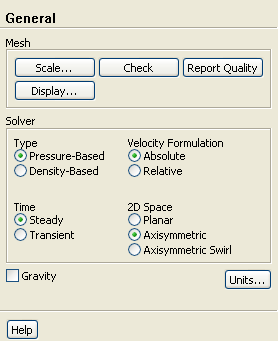
Specify an axisymmetric model.
General
(a)
Retain the default selection of
Pressure-Based in the
Type list.
The pressure-based solver must be used for multiphase calculations.
(b)
Select
Axisymmetric in the
2D Space list.
Note:
A computationally intensive, transient calculation is necessary to accurately simulate the irregular cyclic process of bubble formation, growth, filling by water jet re-entry, and break-off. In this tutorial, you will perform a steady-state calculation to simulate the presence of vapor in the separation region in the time-averaged flow.
![[ANSYS, Inc. Logo]](fluentlogo.gif)


 General
 General
 Check
Check
 General
 Scale...
 , as the flow is expected to exhibit two-dimensional gradients.
  General