(b)
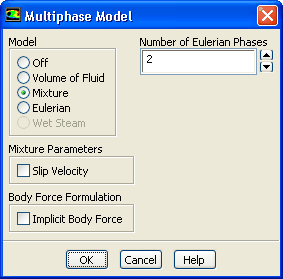
Disable
Slip Velocity in the
Mixture Parameters group box.
In this flow, the high level of turbulence does not allow large bubble growth, so gravity is not important. Therefore, there is no need to solve for the slip velocity.
(c)
Click
OK to close the
Multiphase Model dialog box.
2.
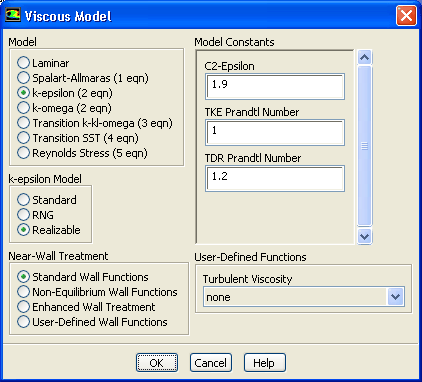
Enable the standard
-
turbulence model with standard wall functions.
ModelsViscousEdit...
(a)
Select
k-epsilon in the
Model list.
(b)
Select
Realizable in the
k-epsilon Model list.
(c)
Retain the default selection of
Standard Wall Functions in the
Near-Wall Treatment list.
(d)
Click
OK to close the
Viscous Model dialog box.
![[ANSYS, Inc. Logo]](fluentlogo.gif)


 Models
 Models

 Multiphase
 Edit...
 -
-
 turbulence model with standard wall functions.
 Models

 Viscous
 Edit...