Step 4: Materials
Materials
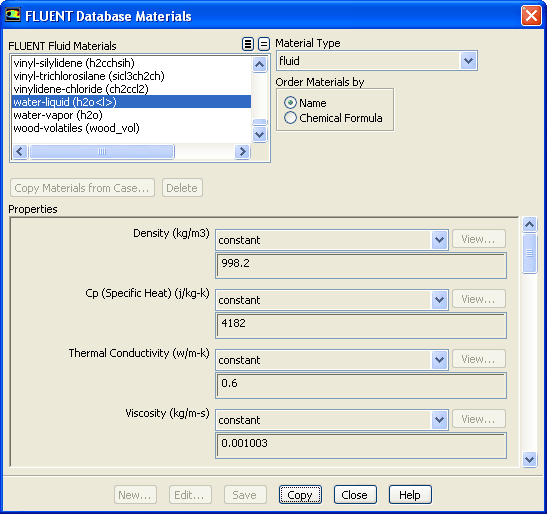
1. Copy the properties for liquid water from the materials database so that it can be used for the primary phase.
Materials
Fluid
Create/Edit...
(a) Click the
FLUENT Database...
button to open the
FLUENT Database Materials
dialog box.
i. Select
water-liquid (h2o
l
)
from the
FLUENT Fluid Materials
selection list.
Scroll down the list to find
water-liquid (h2o
l
)
.
ii. Click
Copy
to copy the properties for liquid water to your model.
iii. Close the
FLUENT Database Materials
dialog box.
(b) Close the
Create/Edit Materials
dialog box.
Previous:
Step 3: Models
Up:
Using the Mixture and
Next:
Step 5: Phases
Release 12.0 ©
ANSYS, Inc.
2009-02-09
![[ANSYS, Inc. Logo]](fluentlogo.gif)


 Materials
 Materials

 Fluid
Fluid
 Create/Edit...
 l
l
 ) from the
FLUENT Fluid Materials selection list.
) from the
FLUENT Fluid Materials selection list.
 l
l
 ).
Previous:
Step 3: Models
).
Previous:
Step 3: Models