In the following steps you will define the liquid water and air phases that flow in the tee junction.
1.
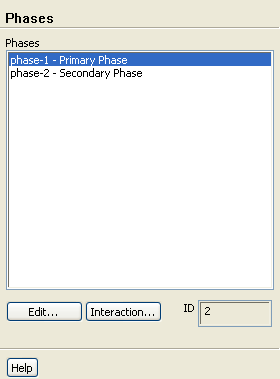
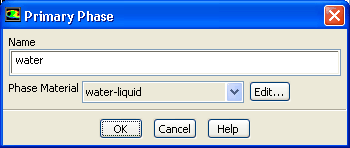
Specify liquid water as the primary phase.
Phasesphase-1Edit...
(a)
Enter
water for
Name.
(b)
Select
water-liquid from the
Phase Material drop-down list.
(c)
Click
OK to close the
Primary Phase dialog box.
2.
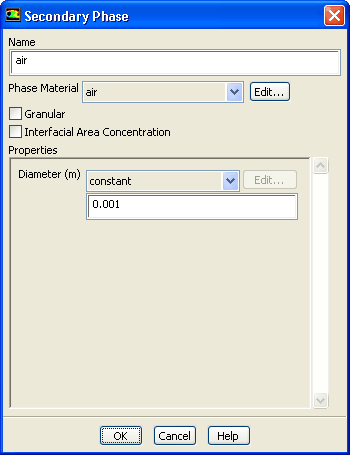
Specify air as the secondary phase.
Phasesphase-2Edit...
(a)
Enter
air for
Name.
(b)
Retain the default selection of
air from the
Phase Material drop-down list.
(c)
Enter
0.001 for
Diameter.
(d)
Click
OK to close the
Secondary Phase dialog box.
3.
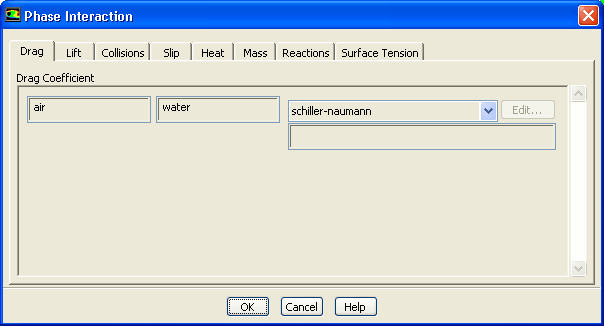
Check that the drag coefficient is set to be calculated using the Schiller-Naumann drag law.
PhasesInteraction...
(a)
Retain the default selection of
schiller-naumann from the
Drag Coefficient drop-down list.
The Schiller-Naumann drag law describes the drag between the spherical particle and the surrounding liquid for a wide range of conditions. In this case, the bubbles have an approximately spherical shape with a diameter of 1 mm.
(b)
Click
OK to close the
Phase Interaction dialog box.
![[ANSYS, Inc. Logo]](fluentlogo.gif)


 Phases
 Phases

 phase-1
 Edit...
 Phases

 phase-2
 Edit...
 for
Diameter.
for
Diameter.
 Phases
 Interaction...