(b)
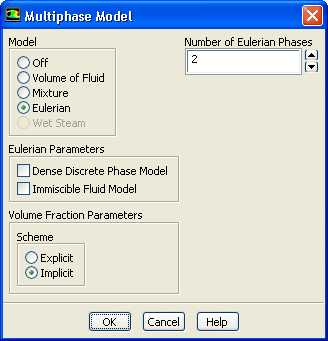
Retain the default setting of
2 for
Number of Eulerian Phases.
(c)
Click
OK to close the
Multiphase Model dialog box.
2.
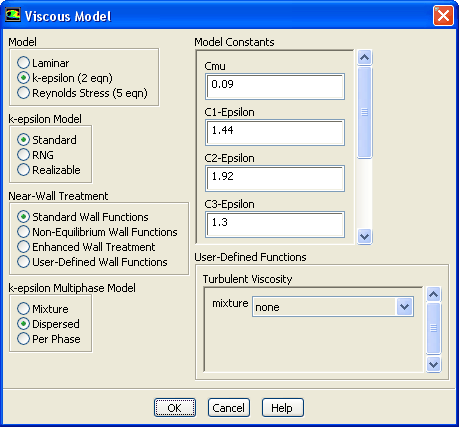
Enable the
-
turbulence model with standard wall functions.
ModelsViscousEdit...
(a)
Select
k-epsilon (2 eqn) in the
Model list.
(b)
Retain the selection of
Standard Wall Functions in the
Near-Wall Treatment list.
This problem does not require a particularly fine mesh hence, standard wall functions can be used.
(c)
Select
Dispersed in the
k-epsilon Multiphase Model list.
The dispersed turbulence model is applicable in this case because there is clearly one primary continuous phase and the material density ratio of the phases is approximately 2.5. Furthermore, the Stokes number is much less than 1. Therefore, the kinetic energy of the particle will not differ significantly from that of the liquid.
(d)
Click
OK to close the
Viscous Model dialog box.
![[ANSYS, Inc. Logo]](fluentlogo.gif)


 Models
 Models

 Multiphase
 Edit...
 -
-
 turbulence model with standard wall functions.
 Models

 Viscous
 Edit...