Step 5: Phases
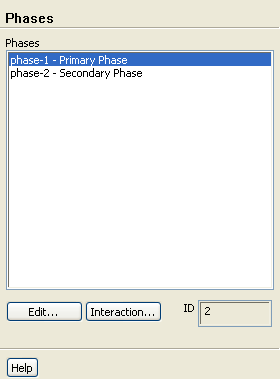
 Phases
- 1.
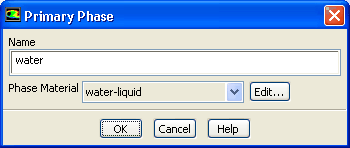
Specify water (
water-liquid) as the primary phase.
 Phases

 phase-1
 Edit...
- (a)
Enter
water for
Name.
- (b)
Select
water-liquid from the
Phase Material drop-down list.
- (c)
Click
OK to close the
Primary Phase dialog box.
- 2.
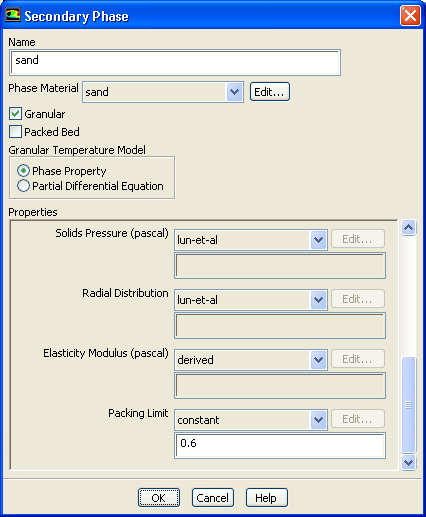
Specify sand (
sand) as the secondary phase.
 Phases

 phase-2
 Edit...
- (a)
Enter
sand for
Name.
- (b)
Select
sand from the
Phase Material drop-down list.
- (c)
Enable
Granular.
- (d)
Retain the selection of
Phase Property in the
Granular Temperature Model list.
- (e)
Enter
0.000111 m for
Diameter.
- (f)
Select
syamlal-obrien from the
Granular Viscosity drop-down list.
- (g)
Select
lun-et-al from the
Granular Bulk Viscosity drop-down list.
- (h)
Enter
0.6 for
Packing Limit.
-
Scroll down in the
Properties group box to locate
Packing Limit.
- (i)
Click
OK to close the
Secondary Phase dialog box.
- 3.
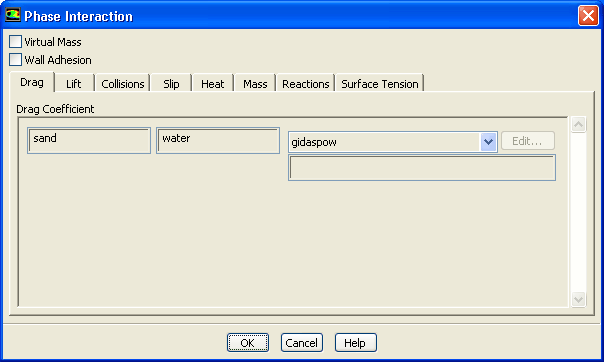
Specify the drag law to be used for computing the interphase momentum transfer.
 Phases
 Interaction...
- (a)
Select
gidaspow from the
Drag Coefficient drop-down list.
- (b)
Click
OK to close the
Phase Interaction dialog box.


 Previous:
Step 4: Materials
Previous:
Step 4: Materials
Up:
Using the Eulerian Multiphase
Next:
Step 6: User-Defined Function
Release 12.0 © ANSYS, Inc. 2009-02-09 ![[ANSYS, Inc. Logo]](fluentlogo.gif)