(b)
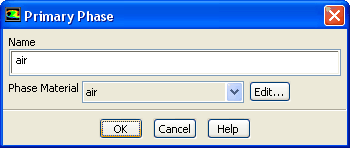
Ensure that
air is selected from the
Phase Material drop-down list.
(c)
Click
OK to close the
Primary Phase dialog box.
2.
Define
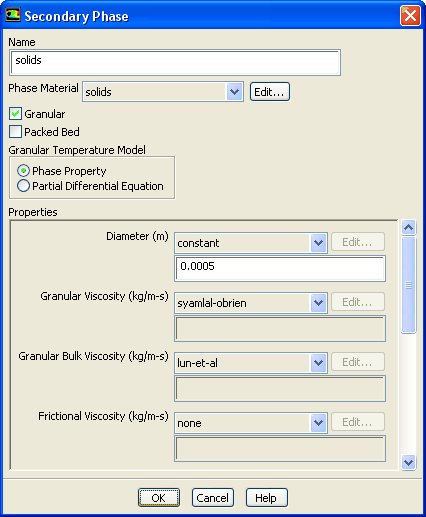
solids (glass beads) as the secondary phase.
Phasesphase-2 - Secondary PhaseEdit...
(a)
Enter
solids for
Name.
(b)
Select
solids from the
Phase Material drop-down list.
(c)
Enable
Granular.
(d)
Retain the default selection of
Phase Property in the
Granular Temperature Model group box.
(e)
Enter
0.0005 m for
Diameter.
(f)
Select
syamlal-obrien from the
Granular Viscosity drop-down list.
(g)
Select
lun-et-al from the
Granular Bulk Viscosity drop-down list.
(h)
Select
constant from the
Granular Temperature drop-down list and enter
1e-05.
(i)
Enter
0.6 for the
Packing Limit.
(j)
Click
OK to close the
Secondary Phase dialog box.
3.
Define the interphase interactions formulations to be used.
PhasesInteraction...
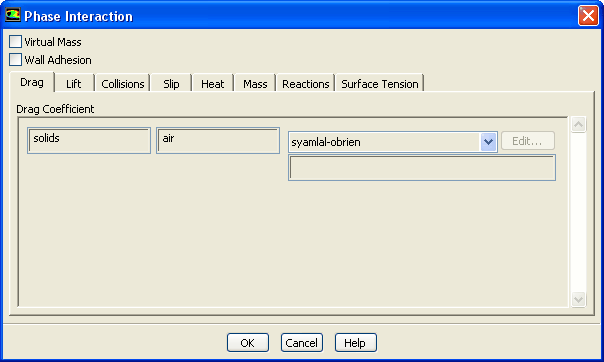
(a)
Select
syamlal-obrien from the
Drag Coefficient drop-down list.
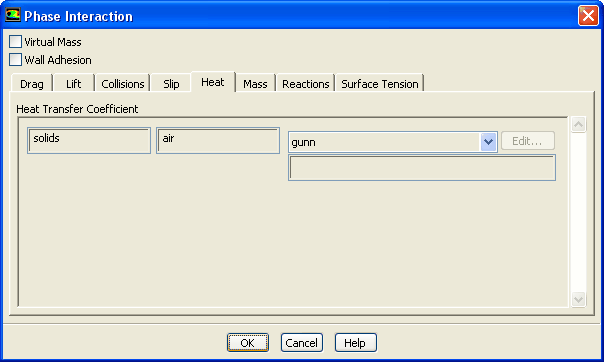
(b)
Click the
Heat tab, and select
gunn from the
Heat Transfer Coefficient drop-down list.
The interphase heat exchange is simulated, using a drag coefficient, the default restitution coefficient for granular collisions of 0.9, and a heat transfer coefficient. Granular phase lift is not very relevant in this problem, and in fact is rarely used.
(c)
Click
OK to close the
Phase Interaction dialog box.
![[ANSYS, Inc. Logo]](fluentlogo.gif)


 Phases
 Phases

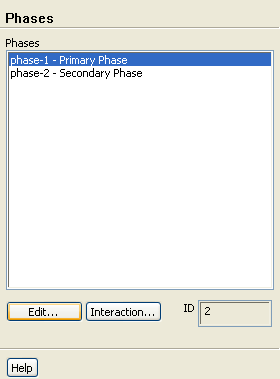
 phase-1 - Primary Phase
 Edit...
 Phases

 phase-2 - Secondary Phase
 Edit...
 Phases
 Interaction...