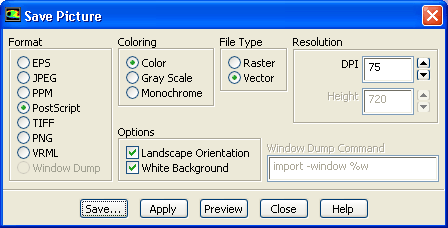
You can save hardcopy files
of the graphics display in many different formats, including PostScript, encapsulated PostScript, TIFF, PNG, PPM, JPEG, VRML and window dumps. Here, the procedure for saving a color PostScript file is shown.
1.
Select
PostScript in the
Format list.
2.
Select
Color in the
Coloring list.
3.
Click the
Save... button to open the
Select File dialog box.
![[ANSYS, Inc. Logo]](fluentlogo.gif)


 Save Picture...