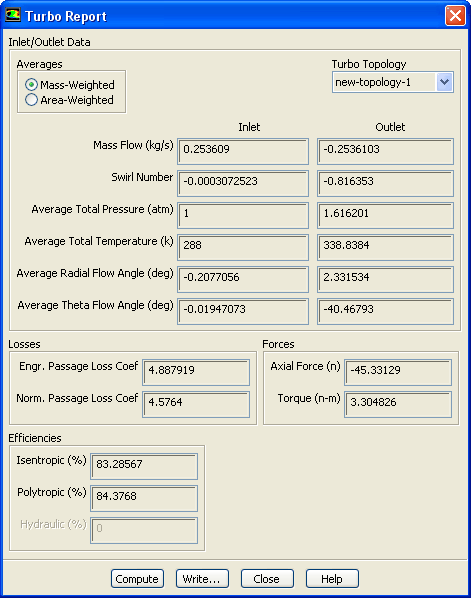
-
The turbomachinery report provides some tabulated information specific to the application and the defined topology.
For details, see
this section in the separate
User's Guide.
Turbo
 Report...
- 1.
Retain the default selection of
Mass-Weighted in the
Averages list.
- 2.
Select
new-topology-1 from the
Turbo Topology drop down list.
- 3.
Click
Compute.
- 4.
Close the
Turbo Report dialog box.


 Previous:
Step 5: Contours
Previous:
Step 5: Contours
Up:
Turbo Postprocessing
Next:
Step 7: Averaged Contours
Release 12.0 © ANSYS, Inc. 2009-02-09 ![[ANSYS, Inc. Logo]](fluentlogo.gif)