In postprocessing a turbomachinery solution, it is often preferable to display contours on constant spanwise coordinates and then, project these contours onto a plane. This permits easier evaluation of the contours, especially for surfaces that are highly three-dimensional.
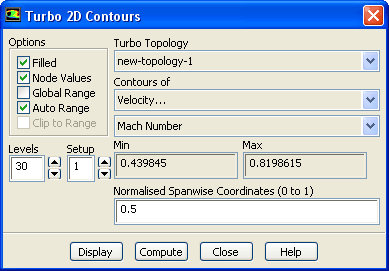
ANSYS FLUENT allows you to display contours in this manner using the
Turbo 2D Contours dialog box.
1.
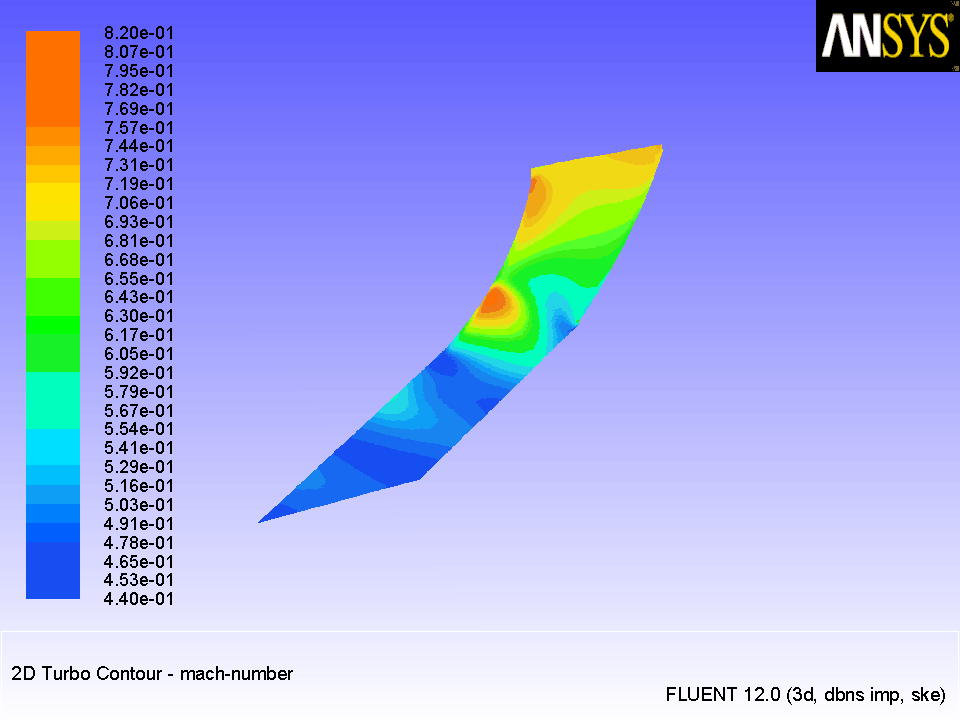
Display 2D contours of Mach number (Figure
25.7).
Turbo2D Contours...
(a)
Select
new-topology-1 from the
Turbo Topology drop down list.
(b)
Select
Velocity... and
Mach Number from the
Contours of drop-down lists.
(c)
Enter
0.5 for
Normalised Spanwise Coordinates.
Note:
For highly curved edges, if a surface is created very close to the curved edge the resulting surface may have some void spaces in it.
(d)
Click
Display.
(e)
Use the mouse to obtain the view shown in Figure
25.7.
Figure 25.7: 2D Contours of Mach Number on Surface of Spanwise Value 0.5
![[ANSYS, Inc. Logo]](fluentlogo.gif)


 2D Contours...