![[ANSYS, Inc. Logo]](fluentlogo.gif)


|
|
|
Once the module has been loaded, in order to set fuel cell model parameters and assign properties to the relevant regions in your fuel cell, you need to access the fuel cell graphical user interface (the Fuel Cell and Electrolysis Models dialog).
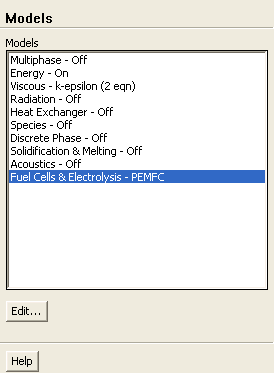
To open the Fuel Cell and Electrolysis Models dialog, select Models under Problem Setup in the navigation pane to display the Models task page. In the Models task page, select the Fuel Cells and Electrolysis option in the Models list and click the Edit... button.
 Models

 Fuel Cells and Electrolysis
 Edit...
By default, the PEMFC model is already enabled, however, you can also choose the SOFC or the Electrolysis models.
Using the Fuel Cell and Electrolysis Models dialog, you can identify the relevant zones for the current collectors, flow channels, gas diffusion layers, catalyst layers, and the membrane/electrolyte. You can specify the following inputs using the Fuel Cell and Electrolysis Models dialog. Optional inputs are indicated as such.
Previous:
2.5 Setting Up the